

Welcome to the Age of Answer Engines
Remember when your customers searched Google for "web development agency" and scrolled through ten blue links? Those days are changing fast.
Today, your potential customer opens ChatGPT, Claude, or Gemini and asks: "I need a professional web developer who specializes in clean code. Who's the best?"
The AI doesn't give them 10 links. It gives them ONE answer. Either you're in that answer, or you don't exist.
📊 The Research Says:
According to a groundbreaking Princeton University study (2024) published at KDD 2024, researchers introduced the concept of Generative Engine Optimization (GEO). Their findings show that optimized content can boost visibility in AI responses by up to 40%.
The study, authored by researchers from Princeton and other institutions, demonstrates that "generative engines can generate accurate and personalized responses, rapidly replacing traditional search engines like Google and Bing."
At Gotham Site Studio, we're seeing this shift happen in real-time. The new approach is called GEO (Generative Engine Optimization), and in this post, we'll show business owners and developers how to crack this new algorithm.
What's the Difference Between SEO and GEO?
While traditional SEO focuses on keywords and backlinks to please Google's algorithm, GEO focuses on authority and context to please language models (LLMs).
AI bots don't just "crawl" your site — they read and understand it like humans. They're looking for trustworthiness, direct answers, and clean structure.
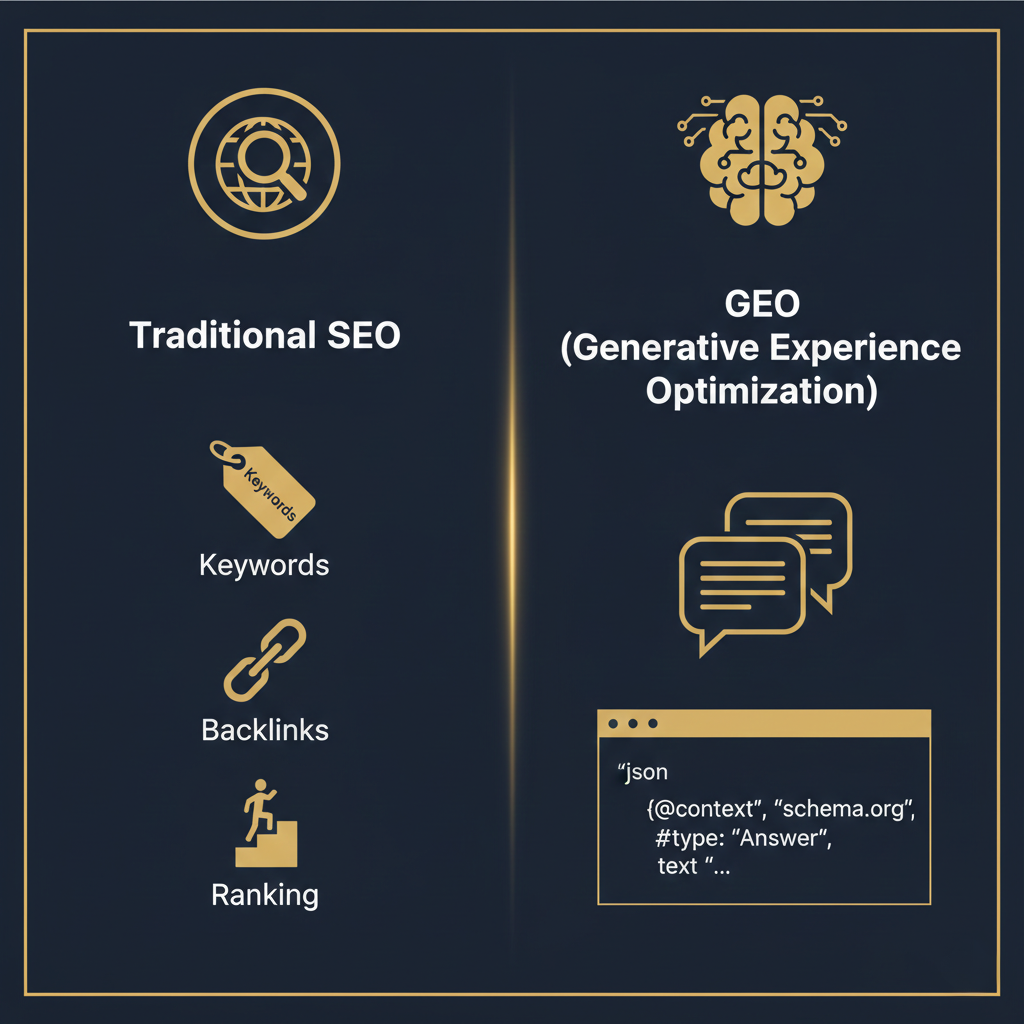
| Factor | Traditional SEO | GEO (AI Optimization) |
|---|---|---|
| Primary Goal | Rank in search results | BE the answer |
| Key Signals | Keywords, backlinks, CTR | Authority, citations, clarity |
| Content Style | Keyword-optimized | Conversational Q&A format |
| Technical Focus | Page speed, mobile-first | Clean code, semantic HTML, Schema |
| Trust Signals | Domain authority, links | E-E-A-T, Reddit/Quora mentions |
The Secret Weapon: Why Clean Code Wins in AI Search
This is where our studio has a massive advantage — and so does anyone who builds with custom, clean code (as opposed to bloated WordPress templates or Wix/Squarespace builders).
AI models work with a "token budget". When a bot crawls a site built on heavy templates, it encounters thousands of unnecessary code lines, blocking scripts, and bloated DOM structures. This makes it harder for the AI to understand what's actually important.
A clean-code site is like an open highway for AI:
Semantic Structure
When we write clean HTML5, the AI knows exactly what's a heading, what's a product, and what's a review. No "noise."
Faster Crawling
Lightweight sites get crawled more frequently and more deeply by AI bots.
Full Control
With custom code, we control 100% of the Schema markup — no plugin limitations.
Real Comparison: Template vs Clean Code
A typical WordPress theme page: ~3,500 lines of HTML
Same page in clean custom code: ~400 lines of HTML
That's 9x less "noise" for the AI to filter through.
The Practical Guide: 3 Steps to Optimize for AI
Whether you're a business owner or a developer just starting out, here are the critical steps for today:
Step 1: Translate Your Site to Robot-Speak (Schema Markup)
Don't make the AI guess. Use JSON-LD to explicitly tell it: "This is the business," "This is the price," "These are the hours."
✅ Example: Local Business Schema
<script type="application/ld+json">
{
  "@context": "https://schema.org",
  "@type": "LocalBusiness",
  "name": "Gotham Site Studio",
  "image": "https://gothamsitestudio.com/images/logo.webp",
  "address": {
    "@type": "PostalAddress",
    "streetAddress": "2225 Homecrest Ave",
    "addressLocality": "Brooklyn",
    "addressRegion": "NY",
    "postalCode": "11229",
    "addressCountry": "US"
  },
  "telephone": "+1-917-353-9599",
  "priceRange": "$$",
  "openingHours": "Mo-Th 09:00-17:00",
  "url": "https://gothamsitestudio.com",
  "sameAs": [
    "https://www.linkedin.com/company/gotham-site-studio"
  ]
}
</script>- For developers: Write the schema manually in the header. Don't rely on auto-generated plugins.
- For business owners: Make sure whoever builds your site implements rich schemas specific to your niche (LocalBusiness, Product, FAQPage, etc.).
Step 2: Become an "Authority" (E-E-A-T)
AI cross-references information. If your site claims you're an expert but there's no trace of you anywhere else online, it won't trust you.
- Create a detailed "About" page with credentials and experience.
- Get mentions on other sites and forums (Reddit, Quora, industry blogs) — AI heavily relies on these platforms.
- Collect and respond to Google reviews — AI reads these too.
Step 3: Write in Q&A Format (Conversational Content)
Stop writing for search engines. Start writing for people. Instead of just keywords, create content pages that answer complete questions.
❌ Old SEO way: "Website Development Prices"
✅ GEO way: "How Much Does It Cost to Build a Business Website in 2026 and What Affects the Price?"
Then provide a concrete answer in the first paragraph. That's exactly what the chatbot will "clip" and serve to the user.
GEO Checklist for Business Owners
Print this out and check your site:
- ☐ My site has JSON-LD Schema Markup in the header
- ☐ I have a detailed "About" page with credentials
- ☐ My content answers questions directly (not just keywords)
- ☐ My business is mentioned on Reddit/Quora/forums
- ☐ I have 10+ Google reviews with responses
- ☐ My site loads in under 3 seconds
- ☐ My site code is clean (not template bloat)
- ☐ I have an FAQ section with real questions
Common Mistakes to Avoid
❌ Mistake 1: Relying on AI-Generated Content Without Editing
AI can detect AI-written content that lacks originality. Use AI as a starting point, but add your unique expertise and examples.
❌ Mistake 2: Ignoring Forum Presence
ChatGPT and Claude heavily weight Reddit, Quora, and niche forums. If you're not mentioned there, you're invisible to AI.
❌ Mistake 3: Using Auto-Generated Schema Plugins
Generic schema plugins create generic markup. For AI to recommend you specifically, your schema needs to be precise and comprehensive.
Sources and Further Reading
This article is based on the following research and industry sources:
- GEO: Generative Engine Optimization — Princeton University research paper (Aggarwal et al., 2024), accepted at KDD 2024. The foundational study that introduced GEO concepts.
- Gartner Research — Industry predictions on AI search adoption and the decline of traditional search volume.
- Schema.org — Official documentation for structured data markup.
- Google Search Central — Official Google documentation on search optimization.
Tools We Use at Gotham Site Studio
To stay ahead, we use AI to optimize for AI. We analyze how our sites are being read by machines and improve the code in real-time:
- Perplexity AI — To see how AI aggregates and cites sources
- Google Gemini — To test how Google's AI interprets our content
- Schema.org Validator — To ensure our structured data is perfect
- Lighthouse — For technical performance that affects crawlability
The Bottom Line
The internet is changing. A beautiful website isn't enough anymore — it needs to be a site that both humans AND machines love. That's exactly where clean code excels.
GEO isn't replacing SEO — it's adding a new layer. The businesses that adapt now will be the ones AI recommends when customers ask "who's the best?"
Is Your Site Invisible to AI?
Don't wait for competitors to claim the top spot in ChatGPT's answers. Get a free GEO audit from Gotham Site Studio. We'll dive into your code, clean up the noise, and make sure the next time someone asks "who's the best in the field?" — the answer is YOU.